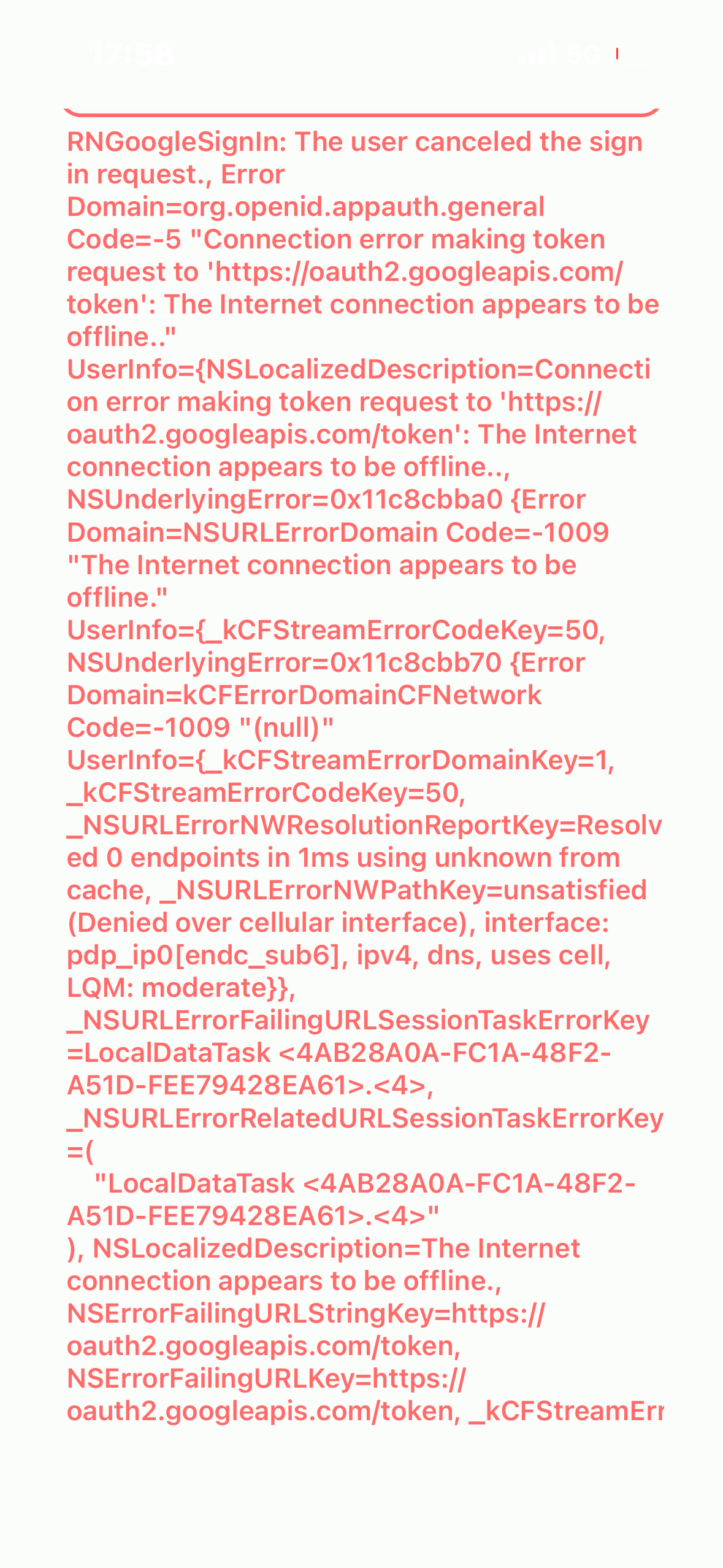
Hi there. I often get an error when opening the app. For some reason it is asking me to sign in again (I don’t actively log out), and normally use Google credentials to log in. Then I get an error (long error message in red in screenshot below), and when trying to log in by entering my email address it says that it failed to send a magic link. Any idea what is going on? This only happens some times, mostly I just open the app and it goes directly to the landing page showing my active challenges.
Welcome to the StepSmash community!
I use Google Sign-In on my personal StepSmash account too on both Android and iOS, and I’ve never seen this issue before, during development or when I’m using the production build. We’ll investigate and get a fix out as soon as we can!
While investigating we were not able to find errors for your account in our debugging systems. From the logs available in the screenshot you shared it looks like Google’s Sign-In SDK failed to refresh the active session when the app opened up due to some sort of network error. I have 2 possible theories:
-
Are you using a 3rd party privacy app of some kind? We’ve seen issues in the past with our chat feature being blocked because of apps like these, and we were able to figure out the specific url being blocked so that folks could allowlist the specific endpoint (Chat - Android App). I’m thinking there might be something like that happening here which causes Google’s SDK to fail when the app starts.
-
The other possibility might be related to network settings on your device. There’s another error in the screenshot that is bubbling up from iOS itself suggesting that you were on a cellular connection and cellular data is disabled for your device, and that would also cause Google’s SDK to fail in the way it’s failing.
Do you see strange issues with Google Sign-In with any other app you use on your phone?