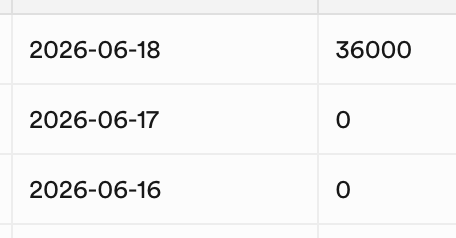
I recently got a garmin watch and even though the apps are syncing the steps aren’t adding up on step smash. I’ve done 13k steps on my watch and it says 109 steps on step smash..
I’ve disconnected the app, reset the app, deleted and reinstalled, nothing has fixed it
Welcome to StepSmash, and thanks for reporting this!
Could you check between Garmin Connect and StepSmash? Garmin Connect pushes the data to StepSmash whenever the watch syncs, and by default we see most Garmin watches sync themselves only about twice a day on average. So there can sometimes be a large gap between what the watch says and what you’ll see in StepSmash until Garmin Connect has had a chance to pull the new data off the watch.
We’ll do some investigating on our side too in case there’s anything going on between Garmin’s systems and ours.
Can you check again when you have a chance? I manually triggered a back-fill from Garmin’s developer portal, and I’m now seeing the expected step data for your account in StepSmash.
It looks like the activity back-fill didn’t complete successfully when you first connected Garmin. Then, when you disconnected and reconnected while troubleshooting, the same thing happened again, which made StepSmash effectively start counting from that newer connection point instead of pulling in the full weekend’s activity.
Sorry for the hassle here. Garmin back-fills are supposed to handle this automatically, so I’ll keep an eye on it and look into why it didn’t complete correctly for your account.
And just to be clear, you’re always welcome to cancel StepSmash+ at any time, but we’re happy to help either way. We provide support regardless of whether someone is subscribed or using the free parts of StepSmash.
Garmin is sending us your activity data as if it happened in GMT+0, but StepSmash and your forum account both suggest your actual timezone is several hours ahead of GMT+0.
StepSmash stores activity in hourly buckets so challenges can line up correctly for people in different timezones. That way, a challenge starts at the correct local time for everyone, no matter where they live. If Garmin sends your steps with the wrong timezone attached, some of your activity can end up being counted toward the wrong day in StepSmash, which would make your StepSmash total not match what your watch shows for that day.
Garmin’s documentation suggests that your watch and Garmin Connect should automatically detect the correct timezone, but it seems like something may not be lining up here. Could you check your Upload Time Zone setting here?
Please make sure it is set to your current timezone. On my own account, Garmin shows a warning that only new activity data will include the updated timezone, so this may not fix older activity that has already been sent to StepSmash.
If that setting is incorrect and you update it, I’d expect us to see new data arrive relatively quickly afterward. That should help confirm whether this is the source of the mismatch.
StepSmash gets your timezone from your phone and sends it back to our servers, but we do not currently show that anywhere in the app.
Right now we mostly use it for things like time-based push notifications. For example, if we want to remind you about your Daily Bingo board at 5pm, we use that timezone so the reminder shows up at 5pm for you locally.
Since you were able to confirm that your Garmin Connect Upload Time Zone looks correct, I went ahead and emailed Garmin Connect’s developer support team to see if they can help explain why the activity data is still coming through with timestamps that do not seem to line up with your timezone.
They’ve usually been pretty quick to respond when I’ve reached out in the past, so I’ll update this thread once I hear back or have anything new to share.
Well that was fast. They’d like me to ask you to confirm the time setting on your watch is set to Auto as setting it manually can sometimes lead to unexpected behavior.
Looks like changing the watch timezone setting to Auto did the trick.
Garmin is now sending new data with the correct timezone offset instead of GMT/UTC. It seems like the setting only started applying once Garmin sent new activity after midnight, so your data going forward should look correct in StepSmash.