For the last few days, Samsung has not connected to my account. I switched it to Google to see if it would work with my old Fitbit, but that doesn’t seem to work either. Any help would be appreciated! Thank you in advance.
Hi! I was hoping to hear from you (your username matches someone who left a review on one of the stores)
Can you help me understand what happens when you link your Samsung Health account? When we first shipped StepSmash 1.13: Personal Challenges and more badges! there was a bug specific to Samsung Health where we failed to sync if the new workout permissions had not been granted to StepSmash.
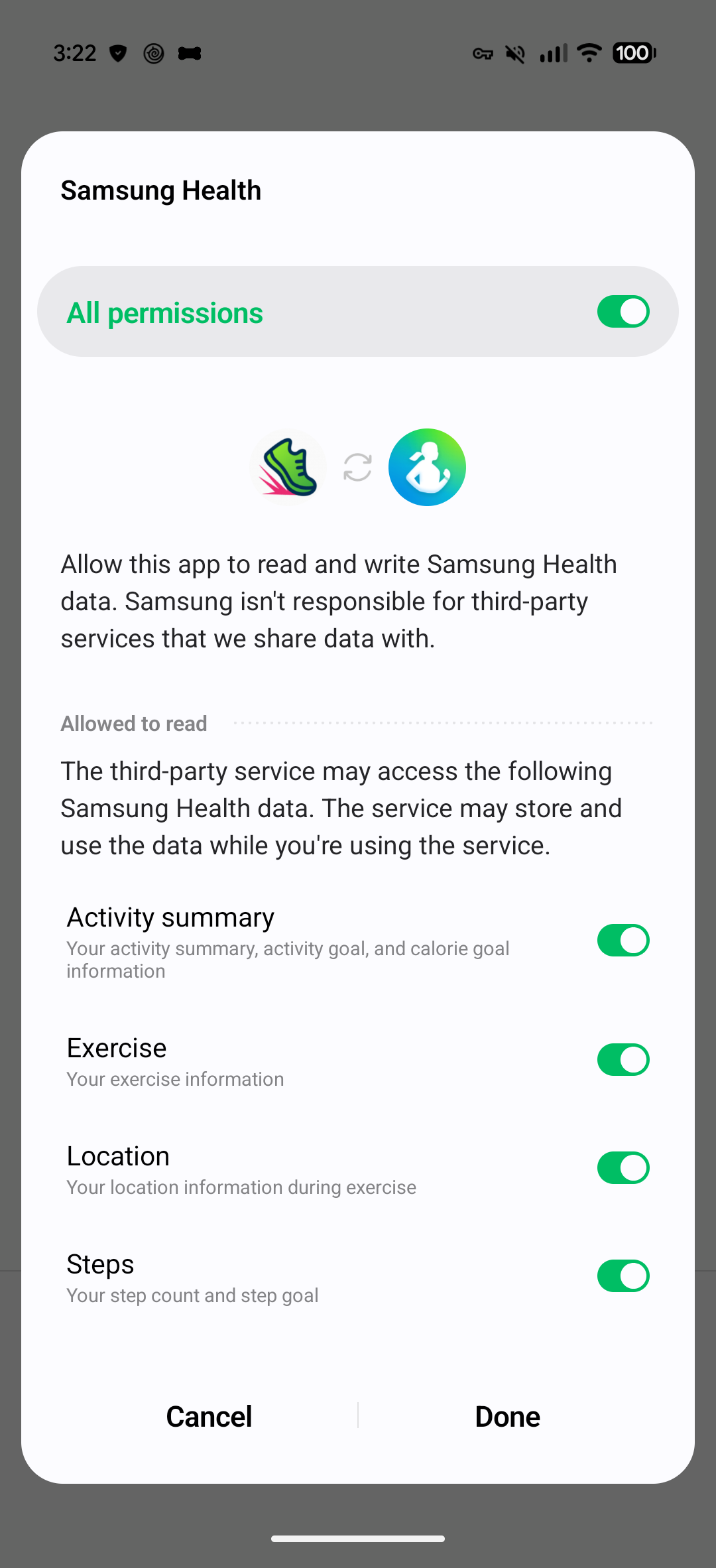
A hotfix was pushed to Android devices relatively soon after when we received our first bug report. StepSmash should now show a warning on your home screen if certain permissions are missing, and linking a Samsung Health account should show a prompt with the following permissions:
We’re not aware of any issues syncing a Google Health account. What device were you trying to sync? StepSmash should work with any of them, even the older ones that didn’t track Active Zone Minutes and only tracked Active Minutes.
Okay I think the Google (Fitbit) is working now but it’s not my main device. I attached what happens when I attempt to connect with Samsung.
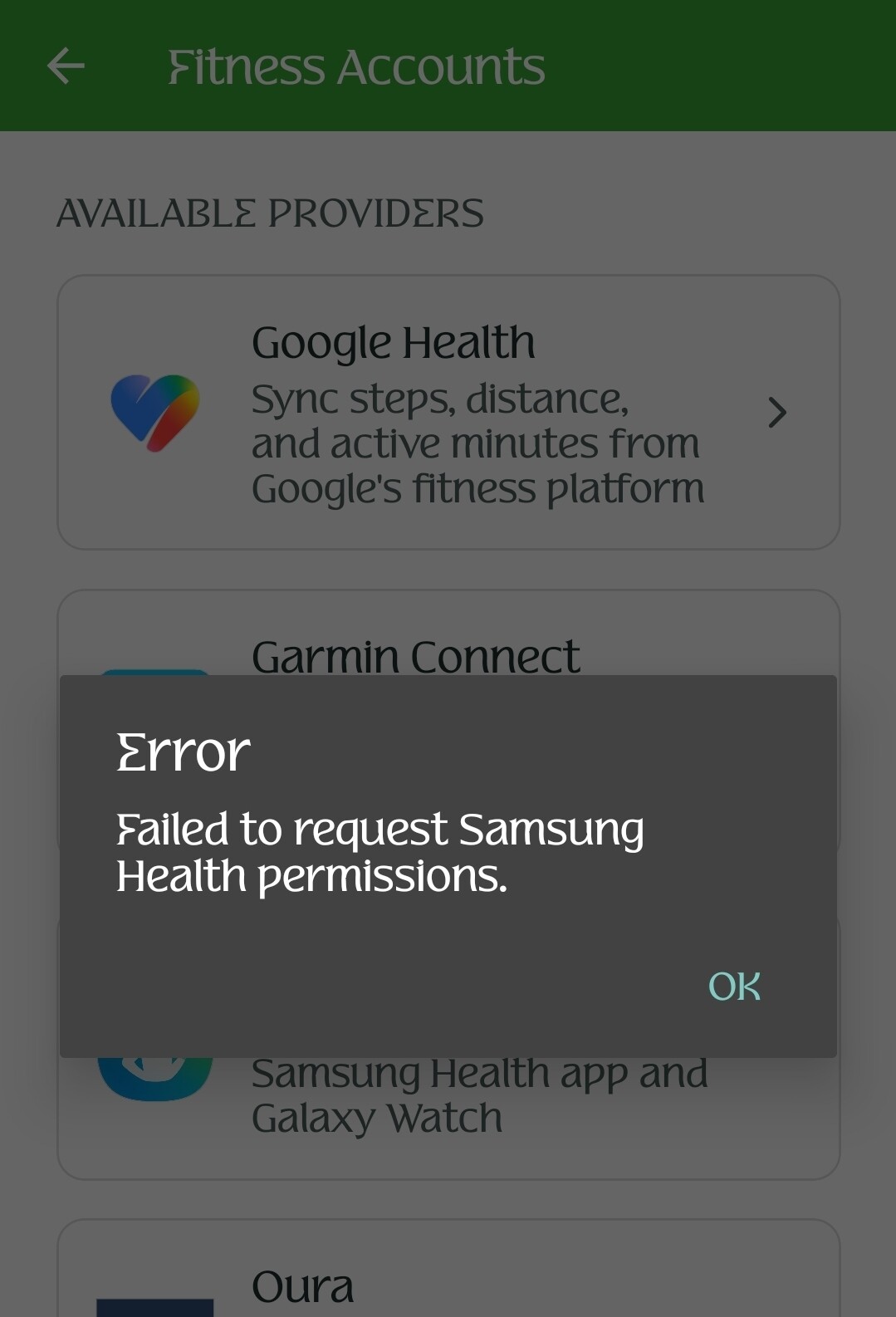
Thanks for sharing that screenshot. We’ll figure out what is going on there and let you know when we have an update.
1 Like
We’ve identified the root issue. Unfortunately it’s something we’re going to need to resolve with Samsung’s help, so it will take a bit of time. In the meantime we’re going to push a small hotfix to disable the new challenges feature and related sync code for impacted Samsung Health users to restore functionality. I’ll update this thread when that update is out.
1 Like