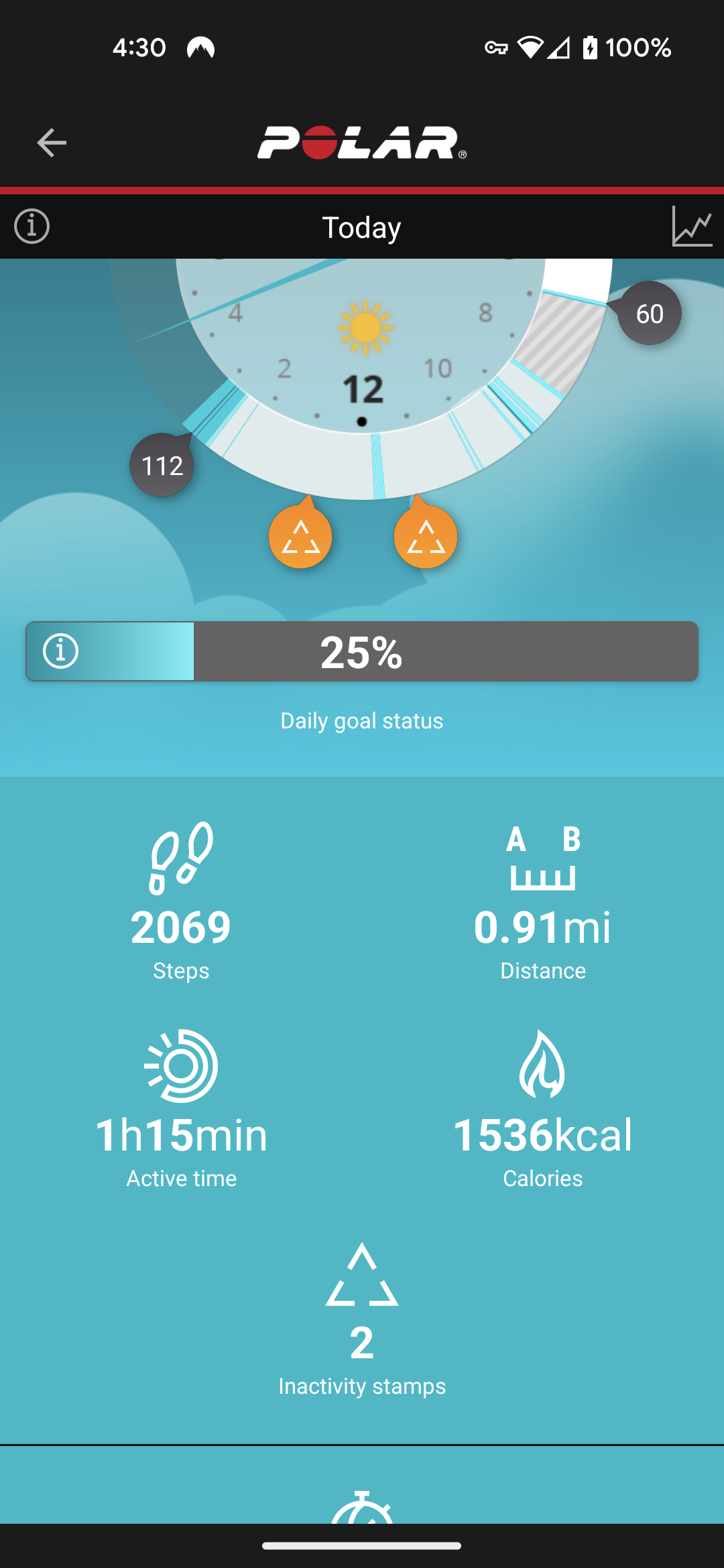
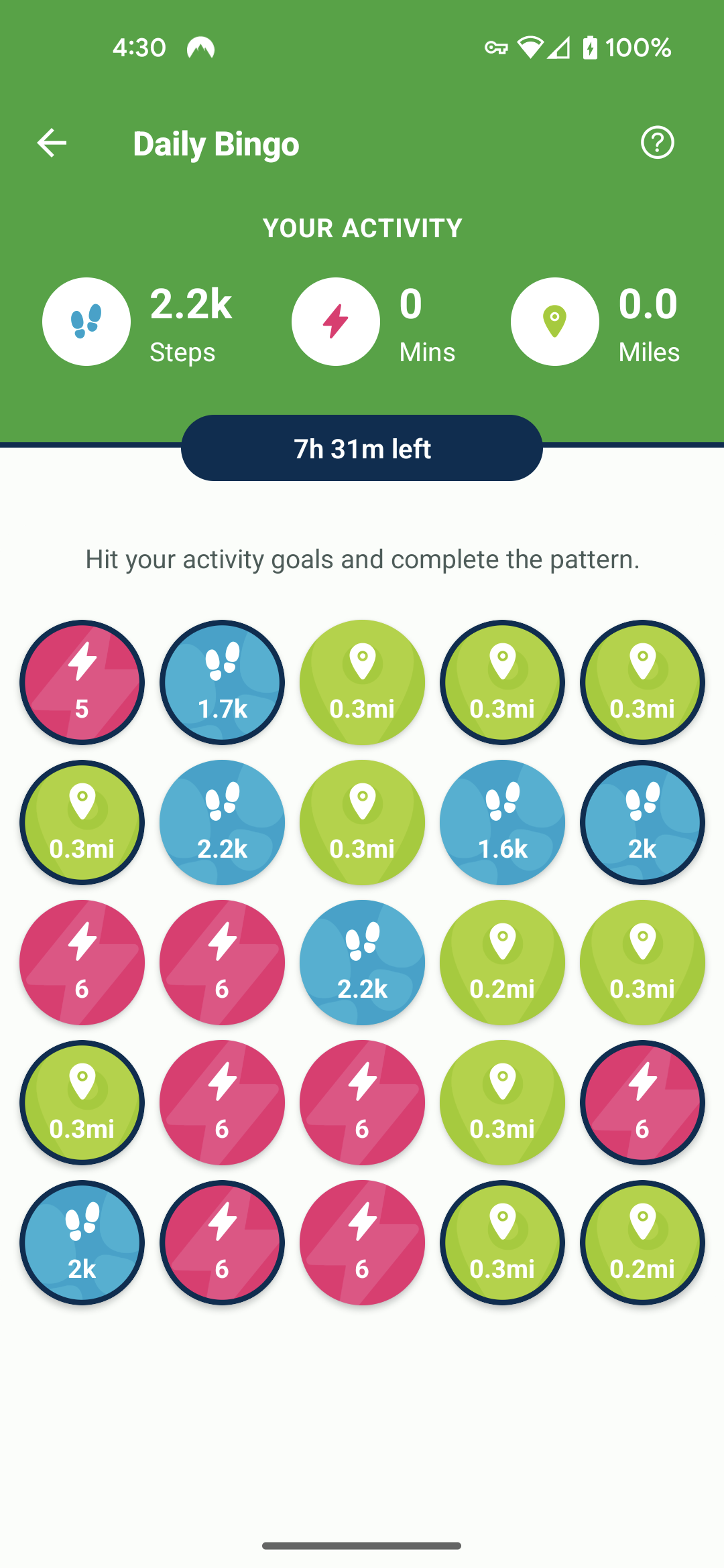
For some reason things aren’t fully syncing. The Health Connect has all metrics turned on for tracking. It’s clearly transferring my steps even if not accurately. But not my miles or active minutes at all.
Thanks for reaching out! I think we were probably chatting on Reddit!
I will that a look at what is going on and get back to you with an answer soon.
Yup that was me. I already signed up for the premium and got 2 others signed up and expecting a few more.
A few more things of note. I noticed the phone itself was tracking steps. And that the health connect app was showing those numbers instead of what my connected polar app was saying.
That explains the difference in steps accuracy. So none of the polar flow information was showing.
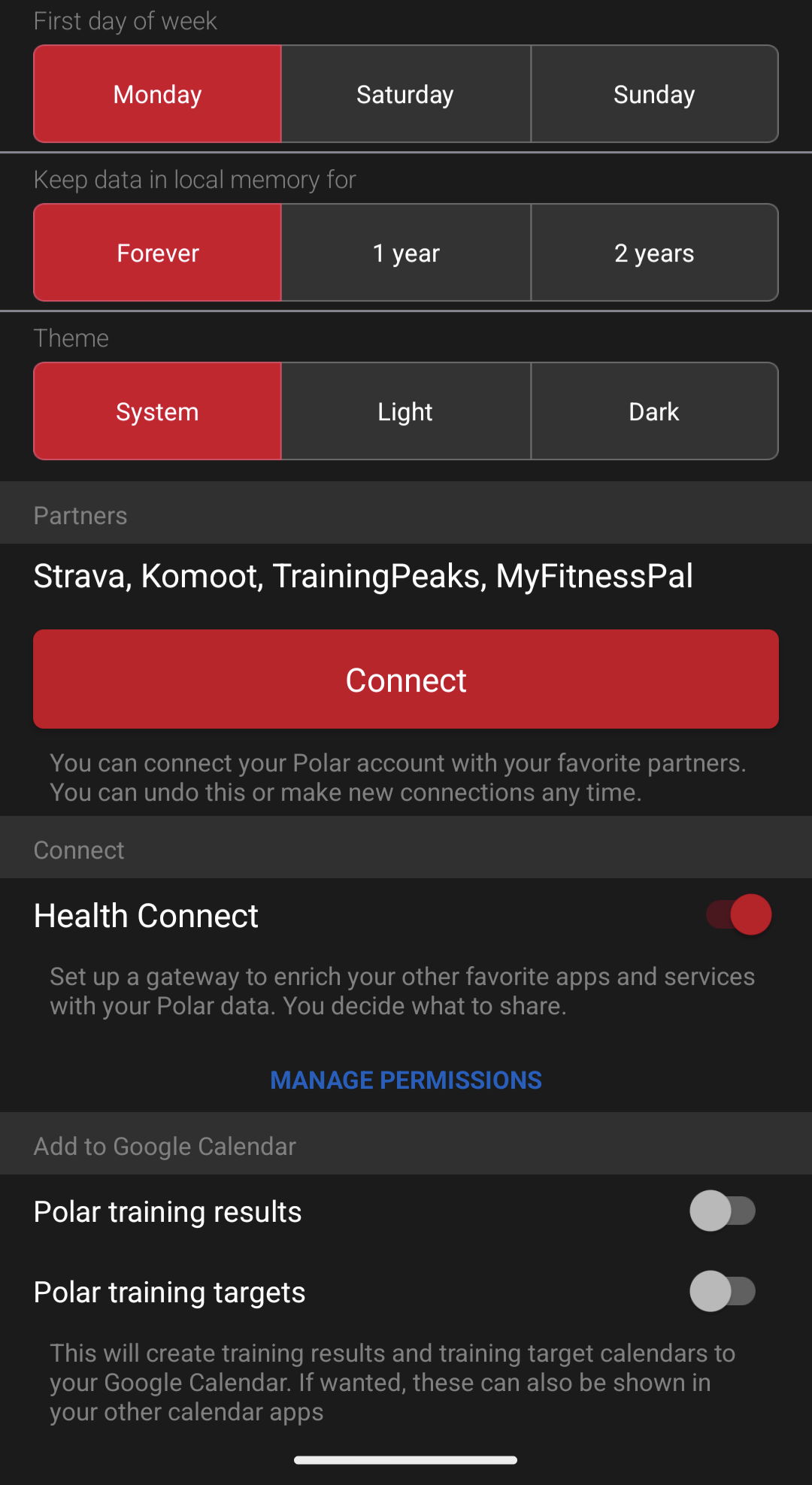
I have disabled my phone tracking the steps in case it was overriding the polar app. I also noticed a place within the polar app itself that has a connect to health connect toggle. Seperate from the phone permissions. Sonintoggled that. So will see if that works/helps.
It looks like the only logs we have for your account show that, up until now, we were only fetching steps that originated from your phone’s step counter. I don’t see any activity coming from Polar, so enabling Connect to Health Connect in Polar Flow may have been the missing piece.
You shouldn’t need to disable your phone’s step tracking, but we do need Polar to actually write its data to Health Connect.
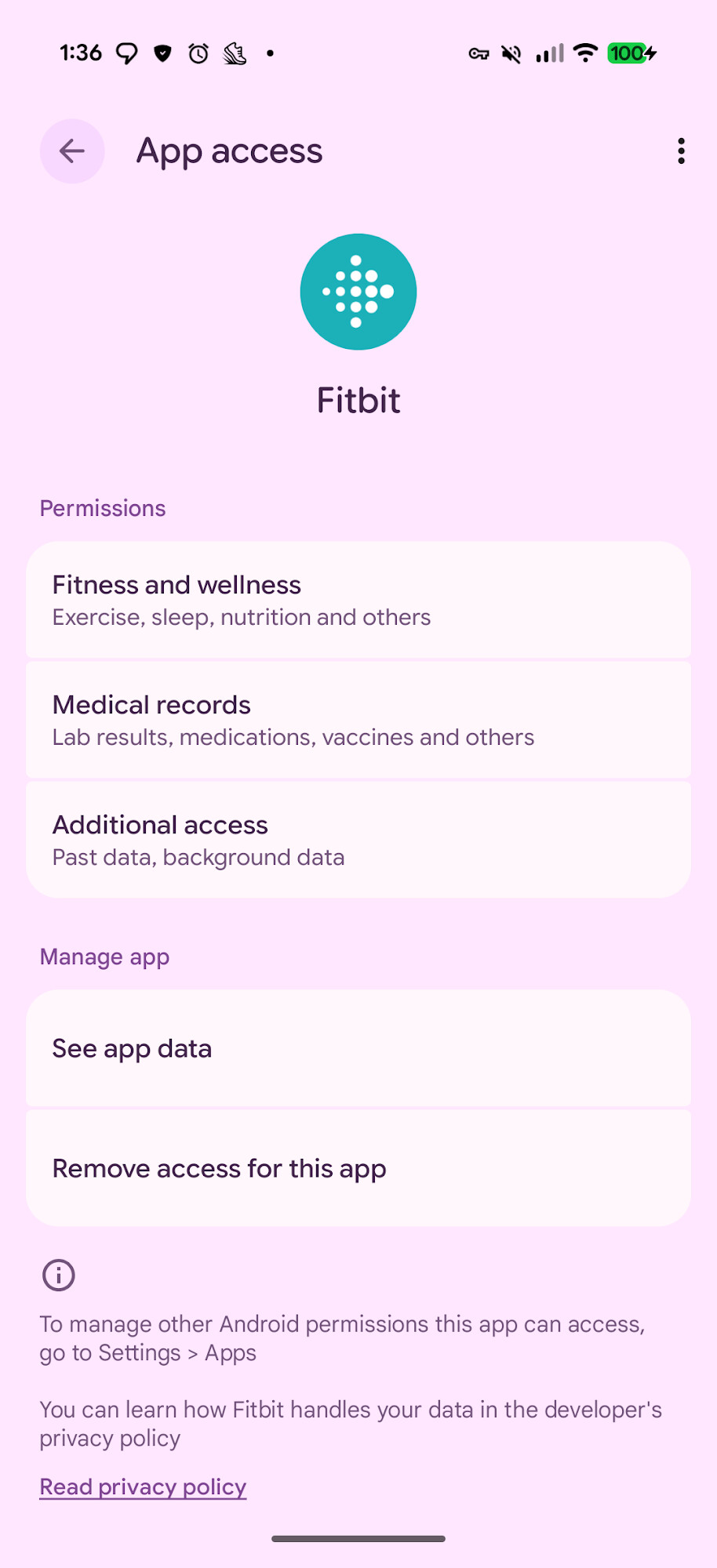
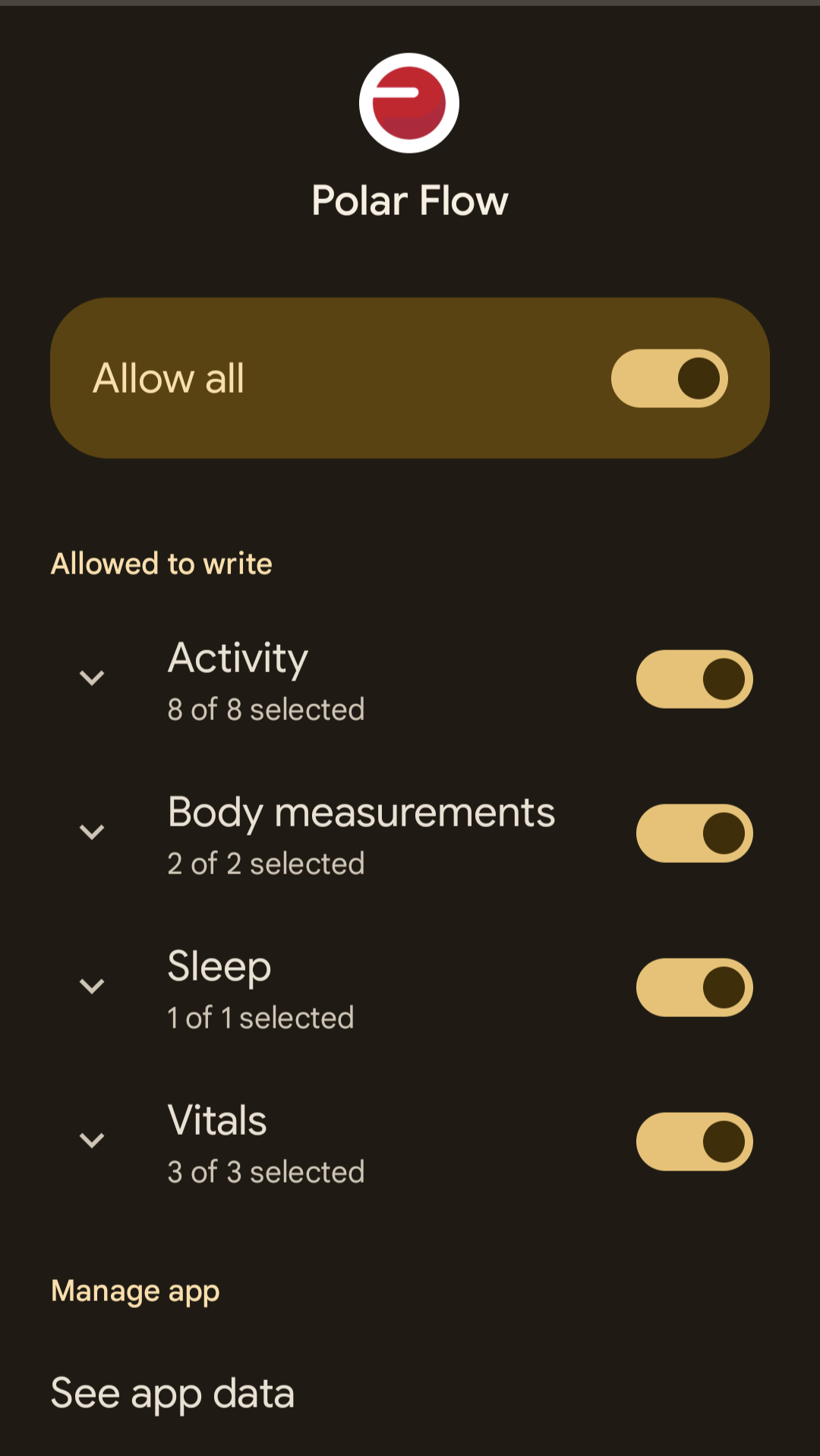
From the Health Connect screen in Settings, there should be a Your health apps section at the top. Tapping on Polar will take you to a screen similar to my Fitbit Health Connect settings.
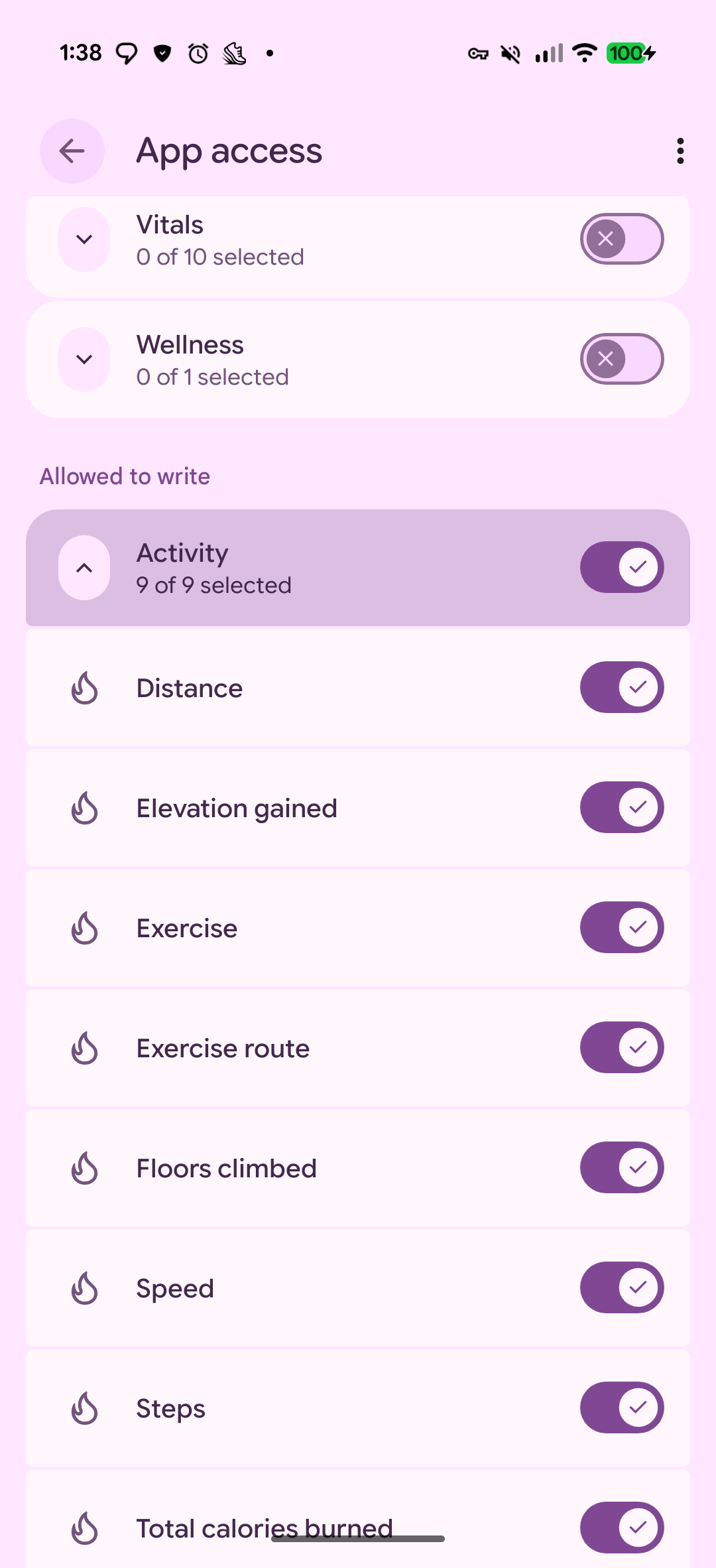
Tapping on Fitness and wellness will show you which data types Polar is allowed to write. I’d specifically check that Steps, Distance, and Heart rate are enabled.
Distance is what StepSmash uses for miles, and heart rate is used when calculating Active Minutes.
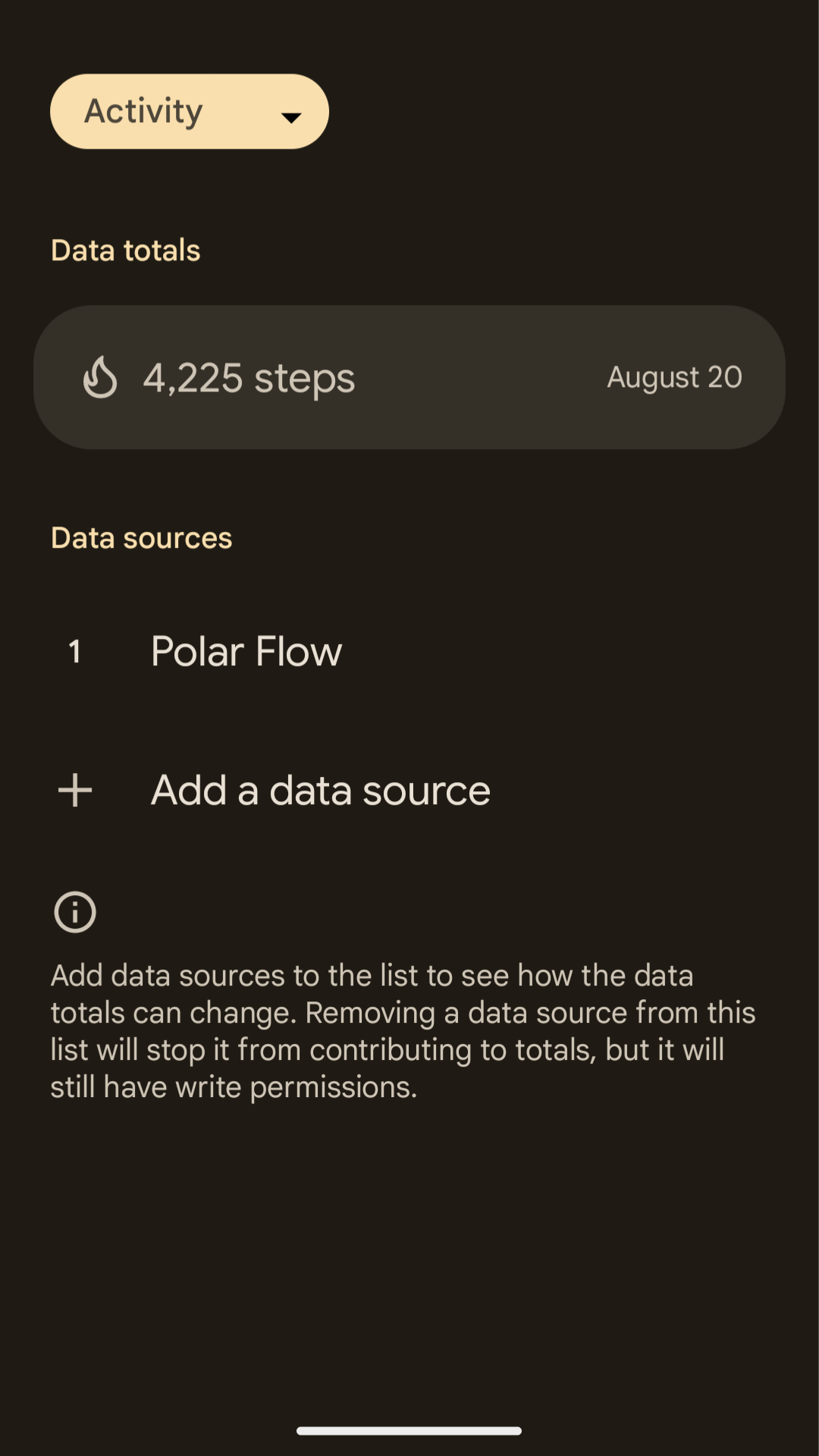
If Polar already has those permissions and you’re still seeing data in StepSmash that doesn’t look right, could you go back one page to Polar, where you tapped Fitness and wellness, and instead tap See app data, then Steps?
That will show you the actual step data Polar has written to Health Connect. If StepSmash still isn’t reflecting what you’re seeing there, could you DM me a screenshot of the Steps page so I can compare it with what we’re receiving?
We’ve seen rare cases where an app writes an entire day’s worth of steps into a very small time window, such as the 12:00–12:01 time bucket, which can cause strange results when another app reads that data.
Our next feature release has some large improvements to our Health Connect syncing, including logging changes that will make debugging easier, so I think the next step if the above doesn’t yield anything useful would be getting that release into our Google Play beta channel for you to test.
In the meantime I’ve added 30 days of time to your StepSmash+ trial to give us time to work through these issues.
Ok awesome, so we know that Polar data is at least coming in for steps.
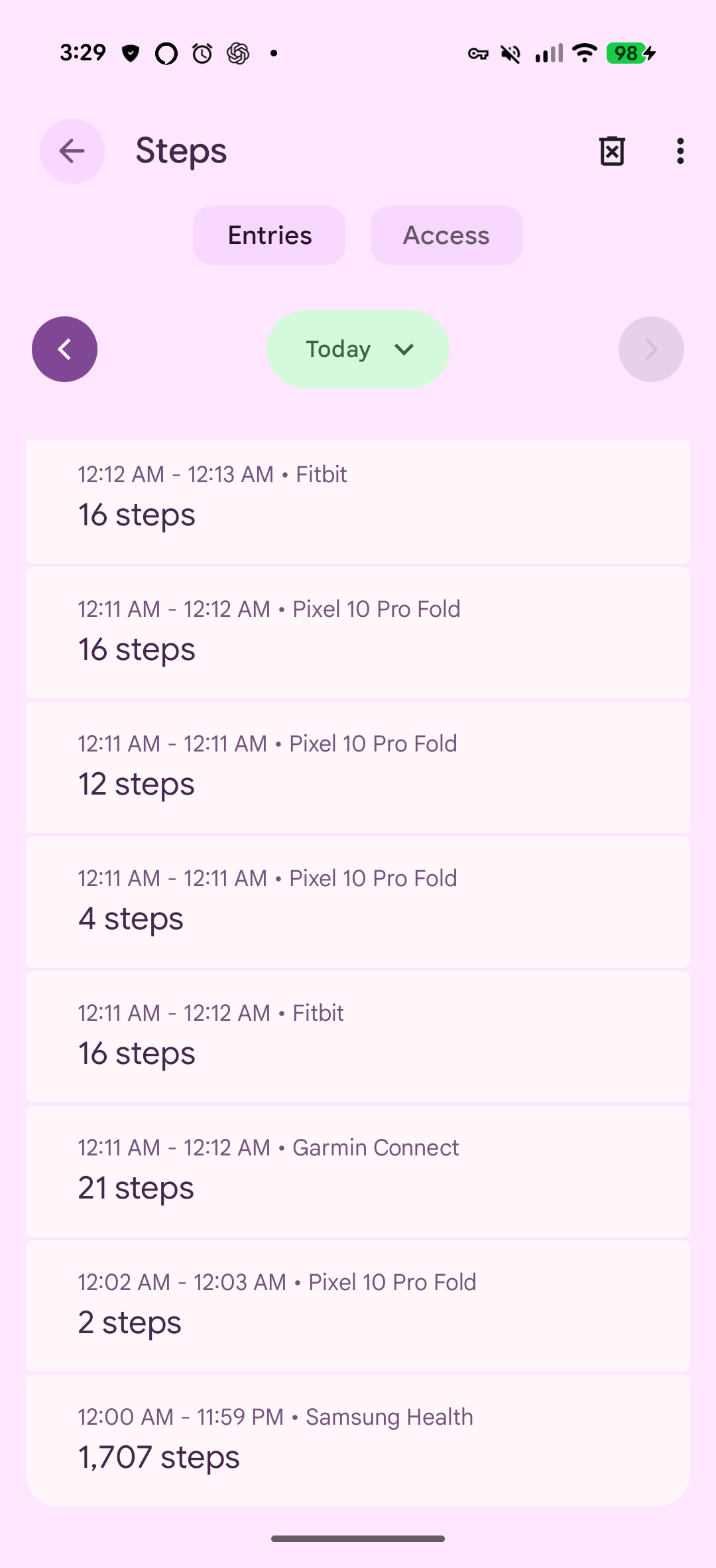
From the main Health Connect page, could you tap Data and access and then Steps? We’re specifically looking for the Polar entries and what time ranges they cover.
StepSmash needs activity to be broken down over time so we can determine which steps occurred during a challenge. Some Health Connect integrations instead write an entire day’s activity as a single entry. In my screenshot, for example, Samsung Health appears at the bottom with one 12:00 AM–11:59 PM entry rather than entries for when the steps actually happened.
If Polar looks similar, that may explain what we’re seeing. A screenshot of the Polar entries should help us confirm.
Separately, I found a bug today where Health Connect isn’t always reliably fetching heart rate for new accounts, which can also affect Active Zone Minutes. Health Connect is one of our less commonly used integrations, so I really appreciate the debugging information you’re providing here. It’s helping us catch some issues that haven’t shown up in our own testing.
I also haven’t been able to find any application logs for your account. If you’re running AdGuard or something similar and you’re open to briefly disabling it, unlinking Health Connect from StepSmash, and then re-linking it, that may give us some additional debugging information.
I haven’t used any of these tools myself, and we don’t have a Polar device on hand for me to provide any real help there.
We likely won’t be able to prioritize it right now, but I’m also reaching out to Polar’s partnership team about API access. There’s not many details online, and it seems like it might be something where they prefer to only work with larger orgs, but nobody has turned us away so far when we’ve asked about integrating, so we’ll see.
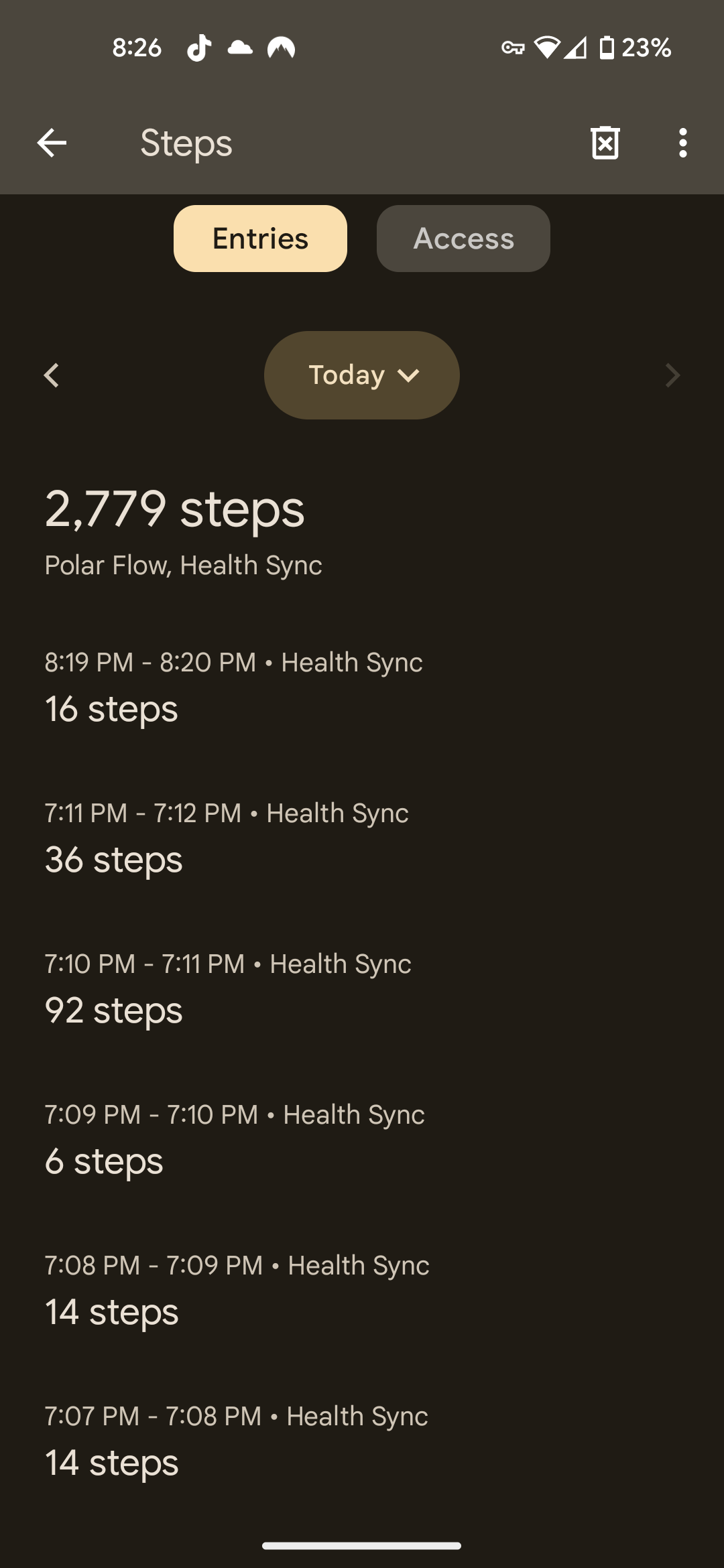
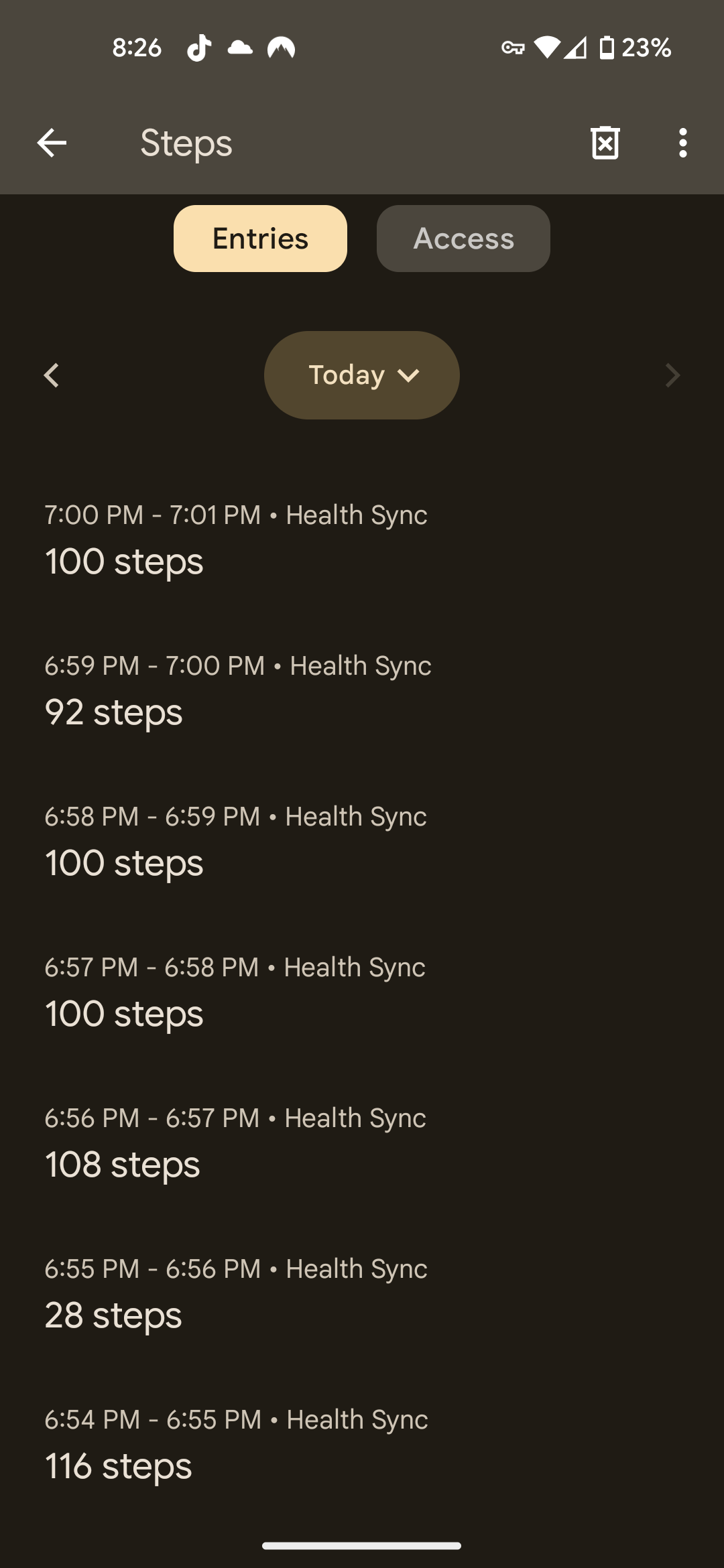
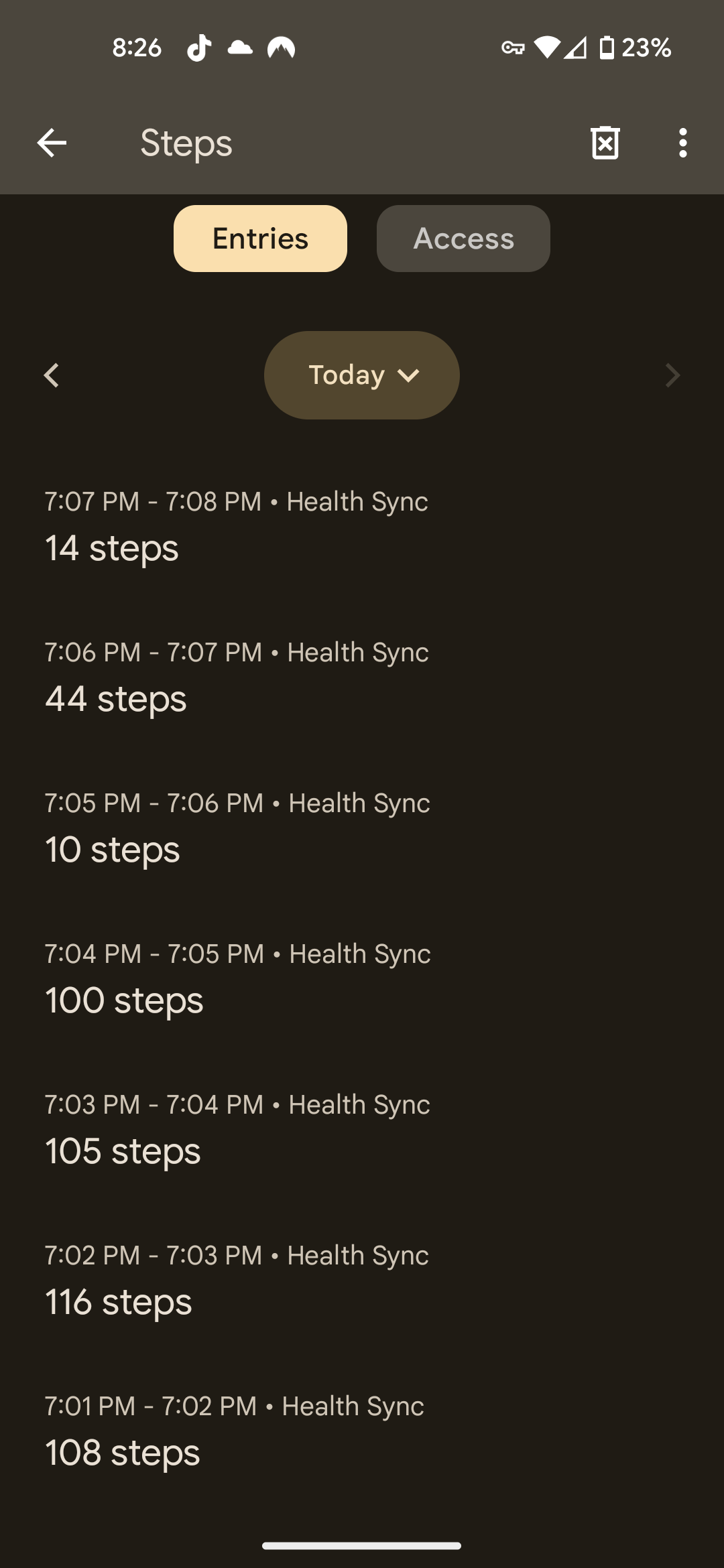
Thank you! It’s very promising that Health Sync is writing out data in that format. I think the rest is likely Health Connect syncing bugs on our end.
If you’re up for it I can get you a beta build sometime next week with the improvements that we’ve been working on.
Sure, but no big deal if not. The active minutes still aren’t accurate. But hopefully things get sorted. With beta starting only being less than a year ago, you guys have done an awesome job so far.
Some of what you’ve been running into is silly bugs that we hadn’t seen before just due to Health Connect having fairly low usage compared to Google Health, Apple Health, etc. We needed to fix those for our next feature release anyway, so it’s not a problem.
The active minutes piece is likely because heart rate syncing is not reliable at all on the production app, that took quite a bit of time to improve last week. But it’s ready, and I’m waiting on Google to approve the build for the private testing ring. When that’s done I can share it with you through Google Play.
Thanks! We have a small group of folks that get an early peak at new features before we roll them out more widely, and that plumbing is also handy for other things like testing fixes for these kinds of bug reports too.