I paid for a yearly StepSmash+ subscription, but Daily Bingo kept asking me to subscribe again, even though I had already paid.
I tried Restore Purchases, but nothing happened.
Because I could not play the games I paid for, I canceled my subscription on October 20, 2026. Apple shows my subscription is paid through November 9, 2027.
I would like my paid access restored or a refund because the subscription was not working properly.
I understand the confusion, and I’d like to clarify what our records show.
Our records show that you canceled your StepSmash+ subscription and requested a refund from Apple, which Apple approved on October 20. Canceling a subscription and receiving a refund have different effects: cancellation normally stops the next renewal while leaving access available for the remaining paid period. A refund can remove access to the refunded subscription before its originally listed expiration date. Apple explains this here.
Because Apple approved the refund, the previously displayed expiration date does not by itself confirm that you still have paid access through that date.
As we discussed by email, our records also show that two different StepSmash accounts were used after you moved to your new phone. Your subscription is purchased through your Apple Account, but it must also be linked to the StepSmash account you’re using in the app. A StepSmash+ subscription can be linked to only one StepSmash account at a time. Due to having logged in to multiple StepSmash accounts your Apple subscription was linked to the other account.
Please complete all of the following steps in order, including Restore past purchases, even if you have done that previously. This refreshes the account and subscription information we need to review; it does not purchase a new subscription or reinstate a refunded one.
Open StepSmash.
Tap the gear icon in the top-right corner.
Tap StepSmash+, directly below the Settings section title.
Tap Restore past purchases. If a message appears, take a screenshot of it.
Tap Manage subscription.
Tap any of the three options on the next screen to open the Edit Subscription page. You do not need to confirm a purchase or change your plan.
Take a screenshot of the Edit Subscription page showing the subscription’s current status and any expiration or renewal date.
Please send the screenshots by replying to our existing support email so your account details stay private. If a step looks different on your phone or you cannot continue, send a screenshot of where you get stuck and tell us which step you reached.
We need these steps completed and the requested screenshots before we can investigate the discrepancy further. Once we receive them, we can compare what Apple currently displays with the account and refund information we have and explain the next steps.
I followed your instructions and tried Restore Purchases, but nothing happened.
I also checked my StepSmash settings, and there is no Manage Subscription option.
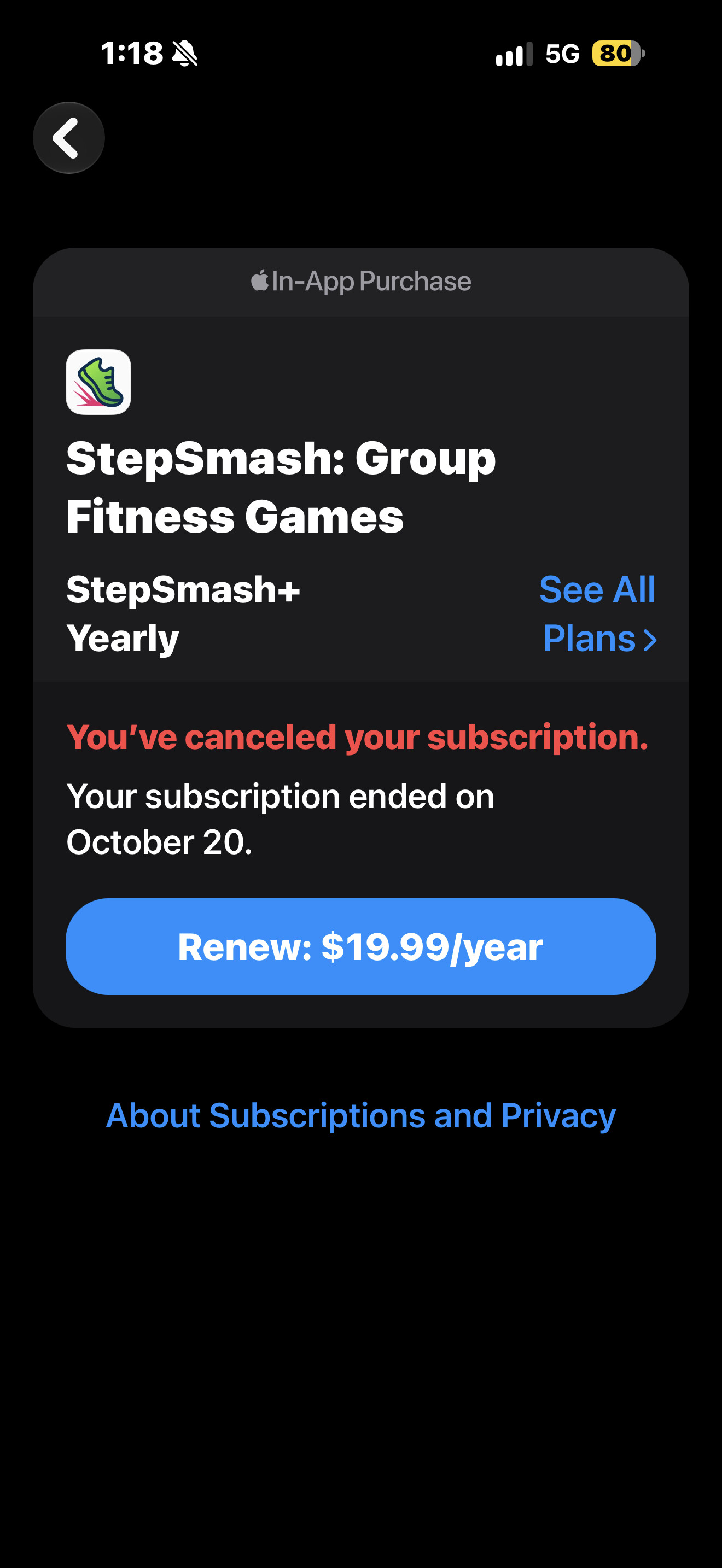
Apple confirmed that my subscription ended October 20, 2026, and I received my $19.99 refund.
However, my original problem started before I canceled my subscription. Daily Bingo was not allowing me to play even though I had already paid for StepSmash+.
I would like to subscribe again because I enjoy playing Daily Bingo, but I need to know that the problem has been fixed before paying another $19.99.
I have attached the screenshot showing my subscription status.
Can you please help resolve the original problem and confirm that Daily Bingo will work with my account?